Track Speding Simply,
Anytime
A personal finance tracker built for people who want clarity without spreadsheets. Set budget categories, see colorful expense visuals, and get weekly insights that make sense of your money in under a minute.
Built for young adults, busy professionals, students, and households in Baton Rouge and across the U.S. who are ready to understand their speding—no finance degree required.
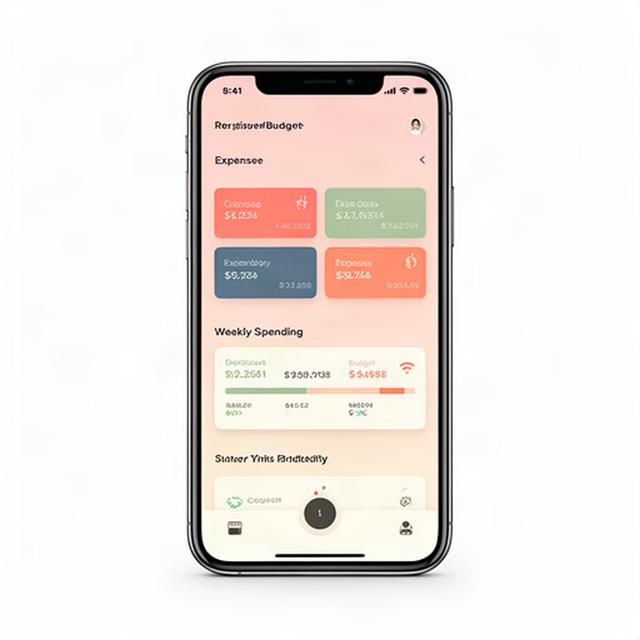
How the App Works
Four steps. No spreadsheets. No jargon. Just a clear picture of where your money goes each week.
Create Categories
Set up budget categories that match your life—groceries, rent, dining, gas, whatever you need. No rigid templates.
Log Expenses
Card transactions get categorized automatically. Cash users can enter expenses manually in seconds. Both work side by side.
See Colorful Charts
At-a-glance visuals show exactly which categories are eating your budget. Trends pop out immediately.
Weekly Summaries
Every Monday morning, get a quick summary of last week's spending. Compare week-over-week without digging through menus.
Works for paycheck-to-paycheck control, no-spend days, and catching those impulse buys before they add up.
Control Everyday Lifestyle Speding
Dining, coffee, entertainment, nightlife, rideshares, subscriptions—see it all by category and stop the leaks.
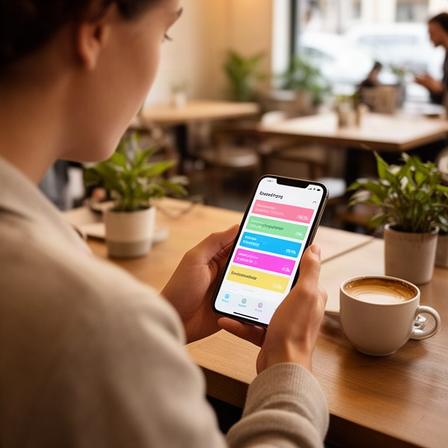
Dining & Delivery
Spot how much DoorDash and fast food actually cost you each month. Week-over-week trends make it obvious.
Coffee & Cafes
Those $6 lattes add up. See your cafe spending in one place and decide if it's worth it.
Subscriptions
Netflix, Spotify, Hulu, gym memberships—track recurring costs and cancel what you don't use.
Rideshare & Transit
Uber, Lyft, gas, parking—transportation costs get their own category so you can budget realistically.
No complex setup. Just category-level visibility that makes lifestyle spending obvious and controllable.
Coordinate Shared Budgets with Clarity
For dual-income parents, couples, roommates, and new parents who need one view of household expenses.
Childcare
Daycare, sitters, and baby supplies tracked separately from personal spending.
Groceries
Weekly grocery runs tracked against your household budget, not lost in a general category.
Rent & Utilities
Fixed monthly costs in one place. Compare against variable spending to see the full picture.
Wedding & Events
Planning a wedding or big event? Track every vendor and deposit in its own budget lane.

Shared budgets mean everyone sees the same numbers. No more 'I thought you paid that.' Accountability without the friction.
Stay Organized with Irregular Income
Gig workers, freelancers, restaurant staff, and side-hustle sellers need budgeting that handles inconsistent paychecks.
Separate Business & Personal
Track project income, materials, and business expenses in their own categories. Come tax time, everything is already sorted.
Fuel & Maintenance
Delivery drivers and rideshare drivers log fuel and maintenance against earnings. See your real take-home after expenses.
Cash Flow Visuals
Simple charts that show income versus spending each week. When earnings fluctuate, visuals keep you grounded in reality.
Freelance creatives, restaurant staff, Etsy sellers, Instacart shoppers—if your income changes week to week, this works for you.
Build Savings and Reduce Debt
Visual progress, spending caps, and small wins that keep you moving toward real financial goals.
Credit Card Control
Set spending caps per card. Get alerts when you're approaching your limit. Rebuild credit by staying within boundaries you set.
Emergency Fund Tracker
Building a $1,000 starter fund? Watch the progress bar fill up. Hurricane season prep in Louisiana makes this one personal.
Large Purchase Planning
Electronics, furniture, a used car—set a target, track every dollar saved, and know exactly when you're ready to buy.
Small wins compound. Seeing a category go from red to green feels better than any spreadsheet ever could.
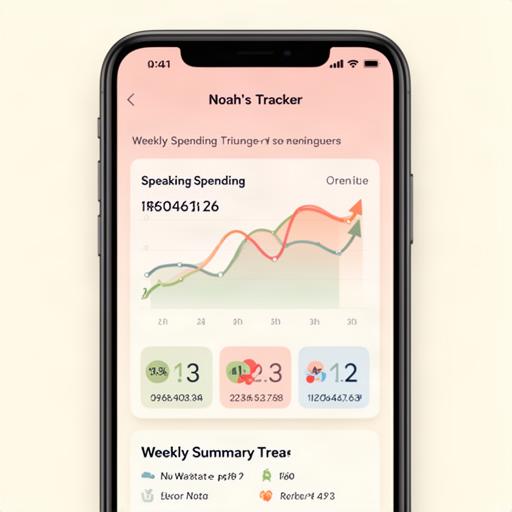
Learn Budgeting Visually
No spreadsheets. No confusing finance tools. Just colorful charts, category trends, and quick weekly summaries that teach you budgeting by showing you.
Colorful Category Charts
Each category has its own color. One glance tells you where money went—no number-crunching needed.
Week-over-Week Trends
See if dining spending went up or down from last week. Simple arrows. Instant understanding.
Built for Beginners
High school seniors, LSU students, recent grads—if you've never budgeted before, this interface makes it obvious.
Trusted by Everyday Budgeters
Real people. Real spending awareness. No advanced finance features—just clarity that sticks.
'I'm an LSU student and this is the first budgeting thing that made sense. The weekly summary shows me exactly where my part-time paycheck went.'
Gerel Duffany
Student, Baton Rouge
'We use it for our household budget. Groceries, childcare, utilities—my husband and I both see the same numbers. No more money arguments.'
Lawonia Mansias
Parent of two, New Orleans
'Freelance graphic designer here. Income is never the same month to month. This app helps me separate business supplies from personal spending without any hassle.'
Darìo Torrie
Freelancer, Lafayette
'I was spending $400 a month on delivery apps and had no idea. The dining category chart slapped me awake. Cut it to $150 the next month.'
Alpin Jiqia
Foodie & professional, Houston
'Built my emergency fund to $1,000 in four months. The progress bar kept me going. Hurricane prep feels less scary with savings in the bank.'
Robertini Trevisan
Gig worker, Baton Rouge
'My roommates and I split rent and utilities through this. Everyone logs what they paid. Zero confusion about who owes what.'
Keynaan Abruzese
Roommate & young professional, Atlanta
About the App and Mission
Noah's Tracker was built in Baton Rouge, Louisiana for a simple reason: most budgeting tools are too complicated for people who just want to know where their money goes.
We make a mobile personal finance tracker that favors clarity over complexity. No investment tracking. No banking integrations you don't need. Just category-based expense tracking, colorful visuals, and weekly insights that help you understand your spending in under a minute.
Our users are students at LSU, young professionals in downtown Baton Rouge, parents in the suburbs, gig workers across Louisiana, and everyday people nationwide who want practical spending awareness—not a finance degree.
We're based on North 44th Street in the 70802. The app is available across the U.S. through the App Store and Google Play.

Frequently Asked Questions
Quick answers for first-time users and comparison shoppers.
Get the App and Start Today
Ready to see where your money actually goes? Grab the app, set your first budget category, and get your first weekly insight in seven days.
Address
North 44th Street
Baton Rouge, LA 70802
Phone
(305) 283-7003
info@noahstracker.com
Questions before you start? Reach out by phone or email. We answer within a business day.